 Multi-Downloader


OGG Converter Online. Instantly
Batch convert OGG to MP4 or MP3 in seconds. Optimized for web developers, gamers and cross-platform compatibility
Add URL
Upload Audio
Convert Link to OGG, MP3 & More
1000+ Sites Supported
OGG
- OGG
Auto
- Auto
-
 7Digital
- Amazon Music
- Apple Music
- Artlist
- Audio
- Audiomack
-
 Bandcamp
-
 Beatport
-
 BeatStars
-
 Boomplay
-
 Bugs
Bugs
- Deezer
-
 DI.FM
DI.FM
-
 DJ Bill Bass
- Epidemic Sound
- Internet Archive
-
 KKBOX
KKBOX
-
 LINE Music
-
 ccMixter
-
 Jamendo
-
 MakeBestMusic
-
 Melon
Melon
-
 Mixcloud
- Mureka
-
 Musopen
-
 Myinstants
-
 NetEase
-
 Pandora
-
 Pixabay
-
 Qobuz
Qobuz
-
 PrayerSong
-
 RaveDJ
-
 Smule
Smule
-
 Songer
-
 Soniva
- SoundCloud
-
 Splice
- Spotify
-
 StreetVoice
- Suno
-
 Tidal
Tidal
- Tumblr
-
 Udio
Udio
- YouTube
- YouTube Music
- Bilibili
-
 Instagram
- TikTok
-
 抖音
抖音
- 歌曲宝


MP3, AAC, FLAC, MP4, AVI, MOV and more
Up to 100 files, max 5GB each
OGG
- OGG
Auto
- Auto
-
7Digital
- Amazon Music
- Apple Music
- Artlist
- Audio
- Audiomack
-
Bandcamp
-
Beatport
-
BeatStars
-
Boomplay
-
Bugs
- Deezer
-
DI.FM
-
DJ Bill Bass
- Epidemic Sound
- Internet Archive
-
KKBOX
-
LINE Music
-
ccMixter
-
Jamendo
-
MakeBestMusic
-
Melon
-
Mixcloud
- Mureka
-
Musopen
-
Myinstants
-
NetEase
-
Pandora
-
Pixabay
-
Qobuz
-
PrayerSong
-
RaveDJ
-
Smule
-
Songer
-
Soniva
- SoundCloud
-
Splice
- Spotify
-
StreetVoice
- Suno
-
Tidal
- Tumblr
-
Udio
- YouTube
- YouTube Music
- Bilibili
-
Instagram
- TikTok
-
抖音
- 歌曲宝
Files to be converted
Keep the same settings for all files
Remove All
Convert All
Convert More
Stop All
Download All
Remove All
Download All

100% Online, No Sign-up Needed
Convert OGG to MP3 or WAV for Perfect Playback on Any Device
-
Effortlessly convert OGG, Opus, WAV, FLAC, MP3, and 500+ audio formats
-
Studio-Grade Audio Quality — Supports high-bitrate MP3, lossless WAV & FLAC output
-
Instantly convert 'unsupported' OGG files into iPhone- and Mac-ready MP3 or M4A
-
Paste link from YouTube, TikTok and 1000+ sites to save directly as OGG audio
-
Optimized for Audio Workflows & Beyond — Perfect for music producers, podcasters, app developers, content creators and game audio clips
Convert OGG
Built for Game Devs, Web Architects, and Audio Techs Who Demand 180X Faster OGG Transcoding
End the playback struggle. Instantly convert OGG files into Mac-ready MP3 or M4A for seamless editing and listening

Universal Playback
iPhone, Mac & iPad Users
iPhone, Mac & iPad Users
Effortlessly convert OGG to MP3 or M4A with zero quality loss. Ensure perfect playback on your iPhone, iPad, and Mac. Say goodbye to 'Unsupported Format' errors and enjoy seamless integration into your Apple Music library across all devices.

Built for the Apple Library
Audiophiles
Audiophiles
Don't compromise on sound. Transform OGG to lossless AAC or MP3 instantly. Tailored for Mac and iPhone users, our converter ensures your high-fidelity audio fits perfectly into your iTunes or iCloud ecosystem with original metadata preserved.

Make Your OGG Files iPhone-Ready
Social & Creators
Social & Creators
Stop the audio struggle! Convert OGG to Mac-ready formats for your next Podcast or Reel. Enjoy 180X faster cloud transcoding on iPad or MacBook. Sync tracks to your Apple devices without the headache. Keep it purring!

Pro-Grade OGG Converter
Logic Pro/Final Cut Users
Logic Pro/Final Cut Users
Designed for Mac & iOS. Convert OGG to M4A for effortless editing in Logic & Final Cut Pro. Say goodbye to errors and hello to a smooth, Apple-ready workflow. Keep your creative momentum purring with 180X faster speed.

The Purr-fect OGG to iPhone Bridge
Mobile Streamers
Mobile Streamers
Tired of 'File Not Supported' hisses? Turn raw OGG files into Apple-ready MP3s with one click. Our AWS-powered engine ensures your audio is optimized for iPhone and Mac, making compatibility issues a thing of the past.
Convert Audio or Video — 500+ Formats Supported for OGG & Beyond
Whether it's MP4, FLAC, or MOV, convert any file to high-efficiency M4A with Multi-Downloader — The ultimate space-saving solution for your iPhone and Mac
400+ Audio Files
Supports 400+ Audio Formats
AAC Converter
AC3 Converter
AIFC Converter
AIFF Converter
ALAC Converter
AMR Converter
APE Converter
AU Converter
CAF Converter
DSD Converter
DSS Converter
FLAC Converter
 M4A Converter
M4B Converter
M4R Converter
MIDI Converter
MKA Converter
MOD Converter
MP3 Converter
OGA Converter
OGG Converter
Opus Converter
PCM Converter
RA / RAM
VOC Converter
WAV Converter
WEBA Converter
WMA Converter
M4A Converter
M4B Converter
M4R Converter
MIDI Converter
MKA Converter
MOD Converter
MP3 Converter
OGA Converter
OGG Converter
Opus Converter
PCM Converter
RA / RAM
VOC Converter
WAV Converter
WEBA Converter
WMA Converter
M4A Converter
M4B Converter
M4R Converter
MIDI Converter
MKA Converter
MOD Converter
MP3 Converter
OGA Converter
OGG Converter
Opus Converter
PCM Converter
RA / RAM
VOC Converter
WAV Converter
WEBA Converter
WMA Converter
500+ Video Files
Supports 500+ Video Formats
3G2 Converter
3GP Converter
3GPP Converter
AVI Converter
DV Converter
DVR Converter
FLV Converter
GIF Converter
M2TS Converter
M4V Converter
MKV Converter
MOD Converter
MOV Converter
MP4 Converter
MPEG Converter
MPG Converter
MTS Converter
MXF Converter
RM Converter
RMVB Converter
SWF Converter
TS Converter
VOB Converter
WEBM Converter
WMV Converter
WTV Converter
DV Converter
DVR Converter
FLV Converter
GIF Converter
M2TS Converter
M4V Converter
MKV Converter
MOD Converter
MOV Converter
MP4 Converter
MPEG Converter
MPG Converter
MTS Converter
MXF Converter
RM Converter
RMVB Converter
SWF Converter
TS Converter
VOB Converter
WEBM Converter
WMV Converter
WTV Converter
How to Convert OGG to MP3 in 3 Simple Steps
-
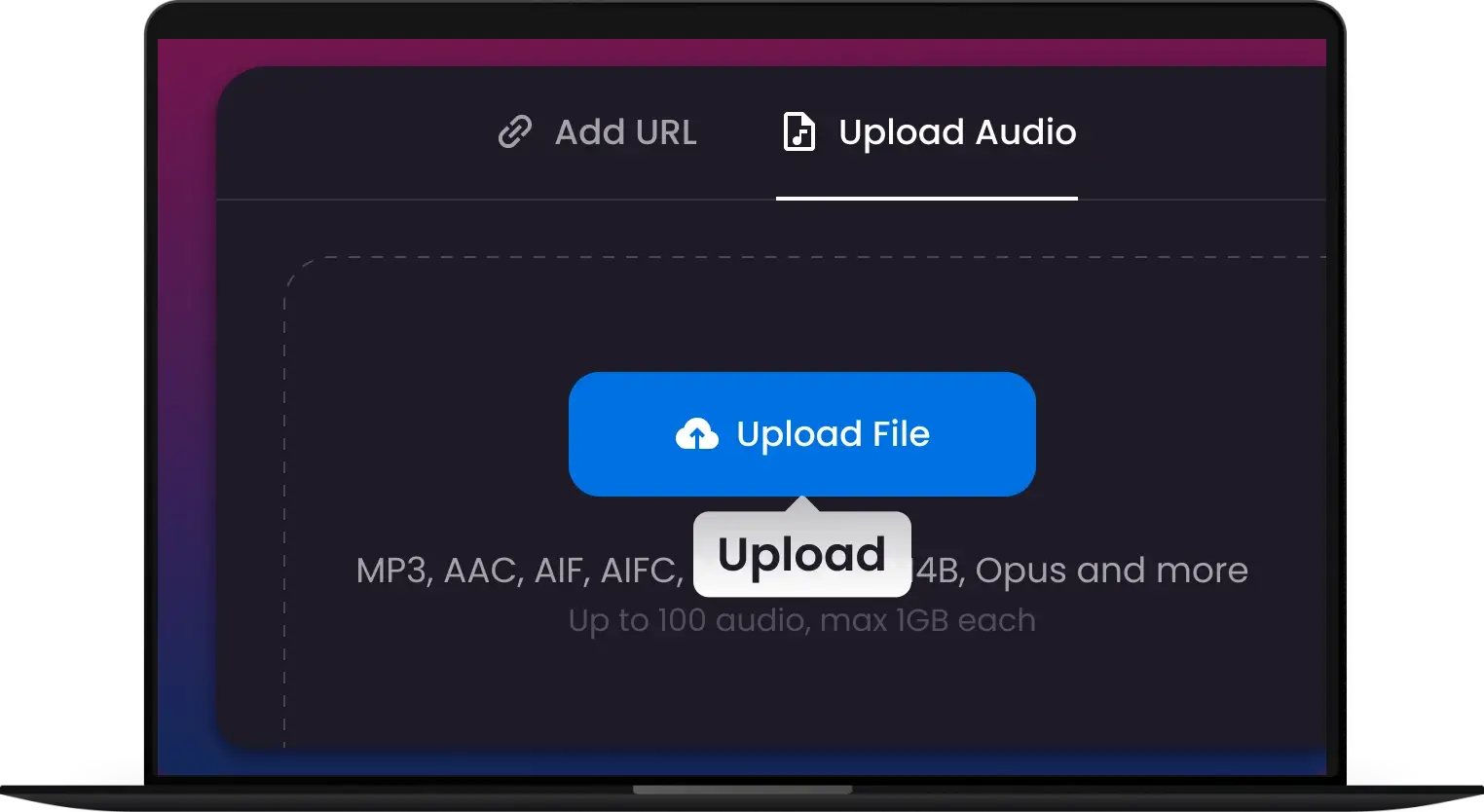
1.
1. Upload or Paste
Drag your OGG files into the converter or paste a URL from your favorite audio source.
-
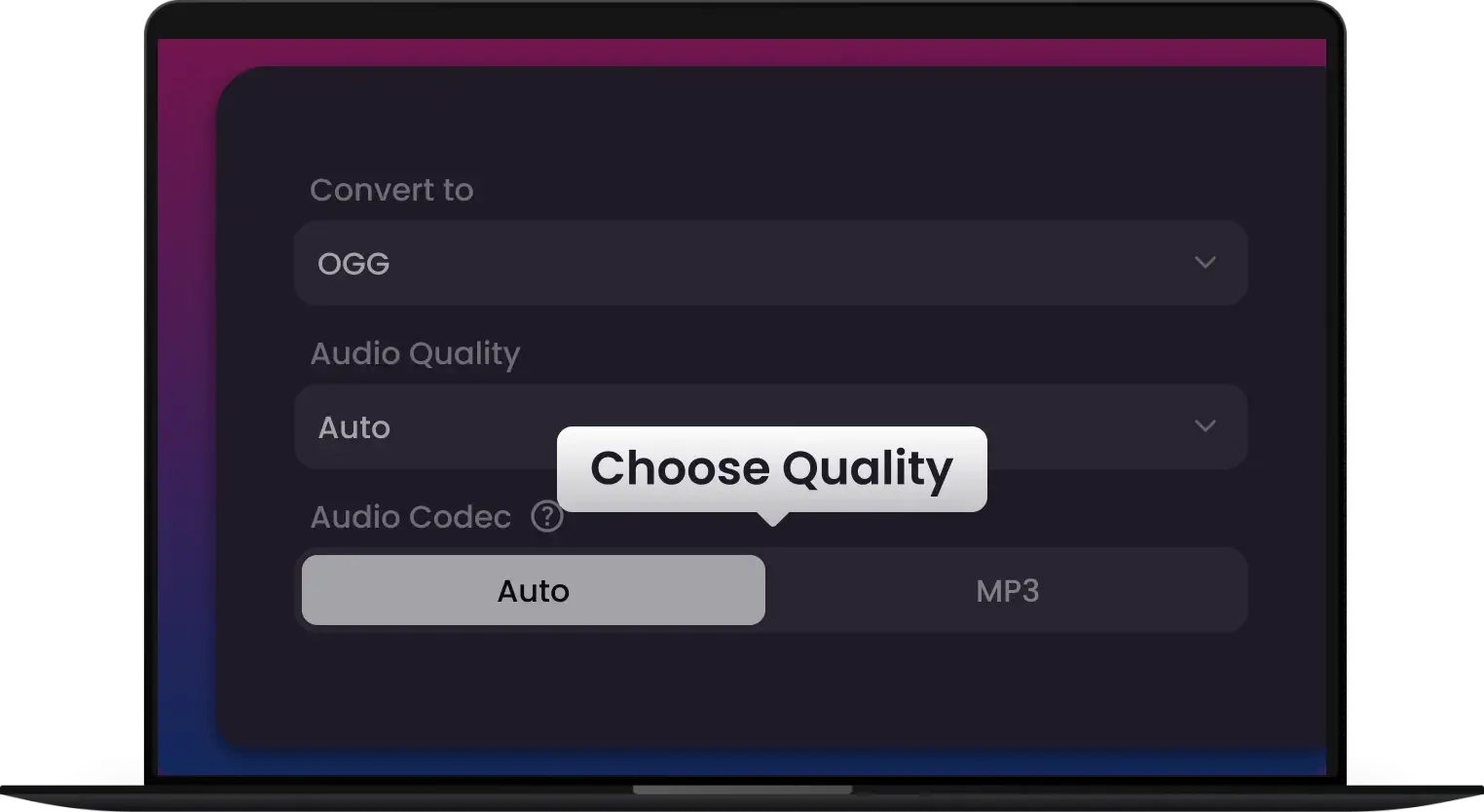
2.
2. Select Your Format
Choose MP3, M4A, or WAV. Our engine automatically optimizes settings for the Apple Ecosystem.
-
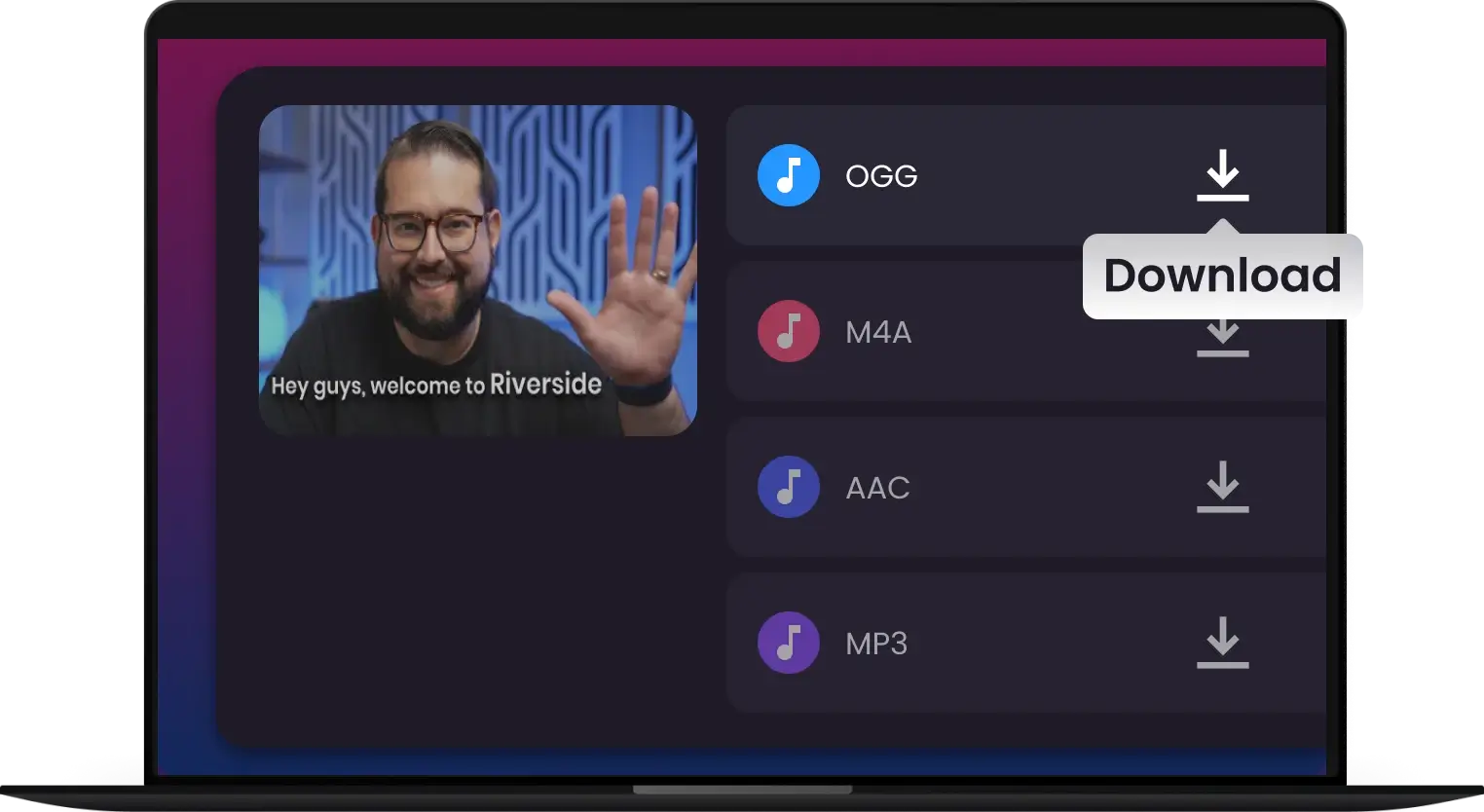
3.
3. Convert & Download
Click convert and download your high-quality audio instantly—ready for playback, editing or sharing.
Convert Any OGG, No Exceptions
Transform MP3, WAV, and 500+ formats into OGG instantly. Your all-in-one hub for Apple-ready audio and pro-grade transcoding


Fast, Reliable & High-Quality—The OGG Converter Professionals Recommend
Trusted by 500,000+ creators worldwide. We’ve set the gold standard for high-fidelity OGG transcoding. Turn any OGG into a purr-fectly playable Apple-ready file in seconds

Multi-Downloader’s OGG converter made it effortless to turn my FLAC files into MP3s for client previews. High-quality output every time!

As a Mac power user, I was tired of OGG files breaking my workflow. Multi-Downloader is a lifesaver. It converts OGG to M4A instantly, and the integration into Final Cut Pro is seamless. Truly the gold standard for Apple users.

I had to batch-convert over 400 game SFX files from OGG to WAV for a client. Most tools crashed, but Multi-Downloader handled the entire litter in minutes. That 180X AWS speed is the real deal. My creative momentum is officially purring!

Most online converters crush the bitrate, but this tool respects the audio. I get crisp, high-fidelity 320kbps MP3s from raw OGG files every time. The quality is simply purr-fect.

I found some amazing cat sounds in OGG format but couldn't use them on my iPhone. Multi-Downloader made them 'Apple-ready' in one pounce! Now my Reels sound better than ever. Super easy to use.

Moving OGG interview clips into my iPad for editing used to be a nightmare. Thanks to this converter, everything is now perfectly synced and playable. It’s become an essential part of my professional audio toolkit!
Frequently Asked Questions
Can I extract audio from a YouTube link and save it as OGG?
Yes! You can paste links from YouTube, TikTok, Soundcloud, and 1,000+ other sites directly into our converter. Multi-Downloader will fetch the audio and allow you to save it as a high-quality OGG, MP3, or WAV file for offline use.
Why is OGG not playing in my video editor (Final Cut Pro/Logic Pro)?
Professional Apple software like Final Cut Pro and Logic Pro often requires universal formats like WAV or M4A. Our OGG converter is specifically optimized for the Apple Ecosystem, allowing power users to transform incompatible OGG files into edit-ready formats in just one pounce.
Is Multi-Downloader safe to use for my private audio files?
Absolutely. Security is our top priority. All files are encrypted during the conversion process via AWS security protocols and are automatically deleted from our servers after 24 hours. Your data privacy is guaranteed, so you can convert with total peace of mind.
What is an OGG file?
OGG is a free, open-source audio format commonly used for high-quality music and podcasts. Unlike MP3, it supports better compression without losing sound clarity.
How can I convert OGG to MP3, WAV, or M4A?
Simply upload your OGG file to an online converter like Multi-Downloader, select your desired output format, and download the converted audio in seconds.
Can I convert multiple OGG files at once?
Absolutely! Multi-Downloader is built for efficiency, allowing you to batch convert up to 100 OGG files simultaneously. Whether you are managing an entire library of game sound effects or a full album of raw recordings, our AWS-powered engine handles the 'whole litter' in one go.
Is there any quality loss when converting OGG to WAV?
Not at all! When you choose WAV or FLAC as your output format, our converter ensures lossless transcoding. We use high-fidelity engines to maintain the original audio's bit depth and sample rate, keeping your sound as crisp as a cat’s whiskers.
How can I convert OGG to MP3 for my iPhone?
Most Apple devices don't natively support OGG. With Multi-Downloader, you can convert OGG to Apple-ready MP3 or M4A in seconds. Simply upload your OGG file, select 'MP3' as the output, and click 'Convert.' Your audio will be ready to sync with your iPhone, iPad, or Mac without any 'File Not Supported' errors.
How fast is the OGG conversion process on Multi-Downloader?
We are powered by AWS cloud technology, making our conversion up to 180X faster than standard online tools. Even if you are batch-processing hundreds of game assets or long podcast clips, our engine handles the heavy lifting instantly so your creative momentum keeps purring.
One Tool for Your Audio, A Whole Suite for Your Workflow

MP4 to MP3

M4A to MP3

WAV to MP3

MOV to MP4

PDF to Word

Video to MP3

MP3 Converter

MP4 Converter

Audio Converter

Video Converter

Spotify Converter

YouTube Transcript

Video Downloader

Instagram Downloader

Music Downloader

MP3 to OGG

WAV Converter

M4A Converter

WEBM Converter

OGG Converter

MOV Converter

WEBA Converter

AVI Converter

MKV Converter

FLAC Converter

Opus Converter

AAC Converter

FLV Converter

M4V Converter

WMV Converter
MP4 to MP3
M4A to MP3
WAV to MP3
MOV to MP4
PDF to Word
Video to MP3
MP3 Converter
MP4 Converter
Audio Converter
Video Converter
Spotify Converter
YouTube Transcript
Video Downloader
Instagram Downloader
Music Downloader
MP3 to OGG
WAV Converter
M4A Converter
WEBM Converter
OGG Converter
MOV Converter
WEBA Converter
AVI Converter
MKV Converter
FLAC Converter
Opus Converter
AAC Converter
FLV Converter
M4V Converter
WMV Converter


