 Multi-Downloader


MOV to MP4 Online. Instantly
MOV to MP4 Batch Converter: Instantly transform large MOV files to universal MP4 format - Supports 4K/8K, HEVC, H.264, ProRes and 500+ video formats
- MP4
- Auto
-
 231Worship
-
 67Movies
-
 ABEMA
ABEMA
-
 Amazon
-
 AMC
AMC
- Apple Music
- Bilibili
-
 Boosty
- BuzzFeed
-
 Cineby
-
 Coloso
-
 Crunchyroll
- Dailymotion
- Disney Plus
- Dramabox
- DramaSQ
-
 E! News
-
 Equibase
- ESPN
-
 FlixBaba
-
 Giants
- Gogoanime
- Gogoanimez
- Google Drive
- HiAnime
-
 HomeWiseDocs
-
 HPA
HPA
-
 HStorage
-
 Internet Archive
-
 LINE
LINE
- Loom
-
 Microsoft Azure
-
 Minicuddles
- MMOV
-
 Motion Array
- Movie Lair
-
 MyFlixerto
- MyVideo
-
 News 12
-
 news.com.au
-
 NHK
NHK
-
 OK.ru
OK.ru
-
 Osaka Kyoiku University
-
 OUK
OUK
- Patreon
-
 PCSchool
- Pikbest
-
 Pre-Script
-
 Reddit
- Rumble
- Skool
- Snapchat
-
 SOOP
SOOP
-
 SPWN
SPWN
-
 Threads
-
 Tidal
Tidal
- TikTok
- TokyVideo
- Tumblr
- TVer
- Twitch
- U Lifestyle
- U-NEXT
-
 Veo
Veo
- Vimeo
- VK Video
- WKYC
- X
- YouTube
- YouTube Music
-
 1069Tube
- 123AV
-
 9933TV
-
 Archivebate
-
 AShemaleTube
-
 AsiaBroSex
-
 AV01
AV01
-
 BaddiesOnly
-
 BoyfriendTV
-
 CamStreams
-
 Candfans
-
 Darkero
-
 Eporner
-
 ERo Me
-
 FapHouse
-
 HelloPorn
-
 Hentai4K
-
 HornyLeak
-
 Jable.TV
-
 LiveCamRips
-
 MissAV
-
 MyFans
-
 NJAV
NJAV
-
 PimpBunny
-
 Pornhub
- PornZog
-
 RedGIFs
-
 Redtube
-
 SpankBang
-
 ThisVid
-
 TNAFlix
- TOKYO Motion
-
 xHamster
-
 XNXX
XNXX
-
 XVideos
- 抖音
- 台視全球資訊網
- 小鸭看看


- MP4
- Auto
-
231Worship
-
67Movies
-
ABEMA
-
Amazon
-
AMC
- Apple Music
- Bilibili
-
Boosty
- BuzzFeed
-
Cineby
-
Coloso
-
Crunchyroll
- Dailymotion
- Disney Plus
- Dramabox
- DramaSQ
-
E! News
-
Equibase
- ESPN
-
FlixBaba
-
Giants
- Gogoanime
- Gogoanimez
- Google Drive
- HiAnime
-
HomeWiseDocs
-
HPA
-
HStorage
-
Internet Archive
-
LINE
- Loom
-
Microsoft Azure
-
Minicuddles
- MMOV
-
Motion Array
- Movie Lair
-
MyFlixerto
- MyVideo
-
News 12
-
news.com.au
-
NHK
-
OK.ru
-
Osaka Kyoiku University
-
OUK
- Patreon
-
PCSchool
- Pikbest
-
Pre-Script
-
Reddit
- Rumble
- Skool
- Snapchat
-
SOOP
-
SPWN
-
Threads
-
Tidal
- TikTok
- TokyVideo
- Tumblr
- TVer
- Twitch
- U Lifestyle
- U-NEXT
-
Veo
- Vimeo
- VK Video
- WKYC
- X
- YouTube
- YouTube Music
-
1069Tube
- 123AV
-
9933TV
-
Archivebate
-
AShemaleTube
-
AsiaBroSex
-
AV01
-
BaddiesOnly
-
BoyfriendTV
-
CamStreams
-
Candfans
-
Darkero
-
Eporner
-
ERo Me
-
FapHouse
-
HelloPorn
-
Hentai4K
-
HornyLeak
-
Jable.TV
-
LiveCamRips
-
MissAV
-
MyFans
-
NJAV
-
PimpBunny
-
Pornhub
- PornZog
-
RedGIFs
-
Redtube
-
SpankBang
-
ThisVid
-
TNAFlix
- TOKYO Motion
-
xHamster
-
XNXX
-
XVideos
- 抖音
- 台視全球資訊網
- 小鸭看看
How to Convert MOV to MP4?
-
![Download Step One]()
Upload Your MOV
1. Upload Your MOVUpload or Drag & Drop MOV file into the converter box. -
![Download Step Two]()
MP4 Format
2. MP4 FormatSelect your desired format MP4 format, resolution, video codecs and more. -
![Download Step Three]()
Convert & Save
3. Convert & SaveClick "Download" button to save your new, universal MP4 file


MOV to MP4 Conversion Power — 4K, HEVC, MP4 & 500+ Formats
-
Batch MOV → MP4: Convert 100 videos at once
-
Supports 1080P, HD, 4K & even 8K video sources
-
MP4, MOV, MKV, AVI, WMV, WEBM, FLV, M4V — and 500+ Formats
-
Universal Codec Support: H.264, H.265, HEVC, ProRes, and More
-
180X Faster MOV → MP4 Conversion: Ready for any device or platform
-
Full Compatibility: Perfect MP4 output that works on social media, editors & mobile
Essential MOV to MP4 Converter for Creators, Editors, and Cross-Platform Users
Don’t let MOV format limits slow your workflow. Instantly turn any MOV file into a universal MP4—perfect for creators, editors, classrooms, livestreams, and mobile playback
-
![Content Creators]() Footage saved as MOV isn’t compatible
Footage saved as MOV isn’t compatibleVideo Editors' Choice
Creators shooting on iPhone, DSLR, or cameras can instantly convert MOV files to MP4 for smoother editing, easier sharing, and universal playback across any devices.
-
![Video Editors]() Web/Social Media Uploads
Web/Social Media UploadsInfluencers
Upload Success Guaranteed. Convert MOV to optimized MP4 for instant, fast uploading to TikTok, YouTube, and all major social platforms. Perfect compression, universal recognition.
-
![Video Lovers]() Prep Video for YouTube, TikTok & Reels
Prep Video for YouTube, TikTok & ReelsContent Creator Essential
Shrink large videos into smaller, mobile-friendly files for smooth sharing via email, WhatsApp, Messenger, and more. No more “file too large” errors—send your videos instantly.
-
![Social Media Enthusiast]() Cross-Platform Sharing
Cross-Platform SharingCamera Users
Break the compatibility barrier. Eliminating playback issues between macOS/iOS and Windows/Android systems. Stop troubleshooting playback errors and start sharing seamlessly. One format for all devices.



-
![Convert to 500+ Videos Effortlessly]() Beyond MOV - 500+ Formats Supported
Beyond MOV - 500+ Formats SupportedBeyond MOV - 500+ Formats Supported
Easily convert MOV to universal MP4, supporting AVI/MKV/WEBM. Efficiently handle large files and extract WAV audio. Perfect for seamless playback, professional editing, and reliable sharing anywhere.
MOV to MP4 -
![Convert to Any Audio Format, Effortlessly.]() Cross-Platform Sharing: Eliminate Playback Friction
Cross-Platform Sharing: Eliminate Playback FrictionCross-Platform Sharing: Eliminate Playback Friction
Break the compatibility barrier! Instantly convert macOS/iOS MOV to universal MP4. Guarantee flawless playback on Windows, Android, and Linux without extra codecs. Share seamlessly.
MOV Converter -
![Preserving Perfection: The True 4K Quality.]() MOV to MP4: Smaller Size, 100% Upload Success
MOV to MP4: Smaller Size, 100% Upload SuccessMOV to MP4: Smaller Size, 100% Upload Success
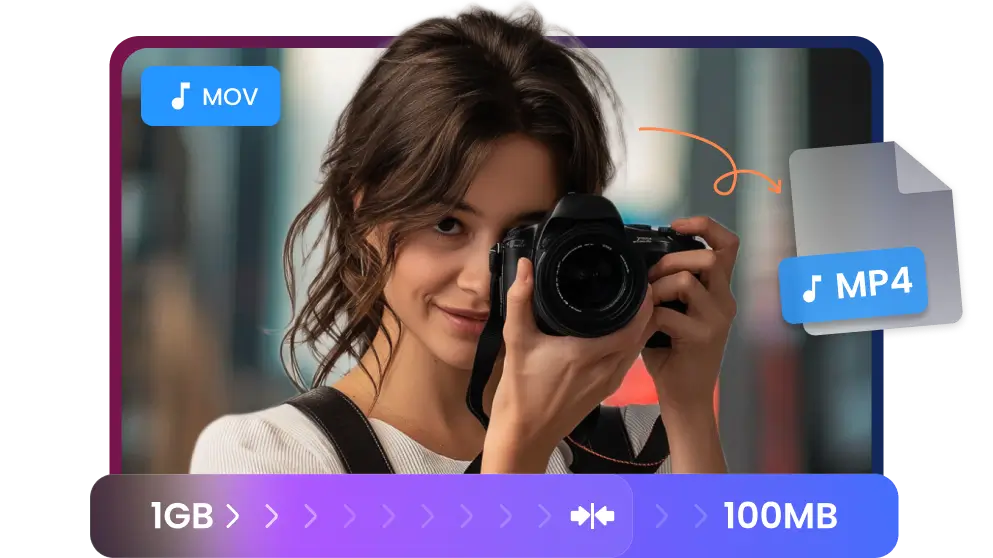
Stop failing uploads! Convert MOV to MP4 to drastically reduce file size and guarantee Web & Social Media Upload Success. Perfect compression for YouTube, TikTok, and fast cross-platform sharing
Convert MOV to MP4



They Love Us, You Will Too


Frequently Asked Questions


